 Sentrly
DNS Privacy: DoH and DoT Explained
Every website you visit starts with a DNS lookup. By default, that lookup is unencrypted.
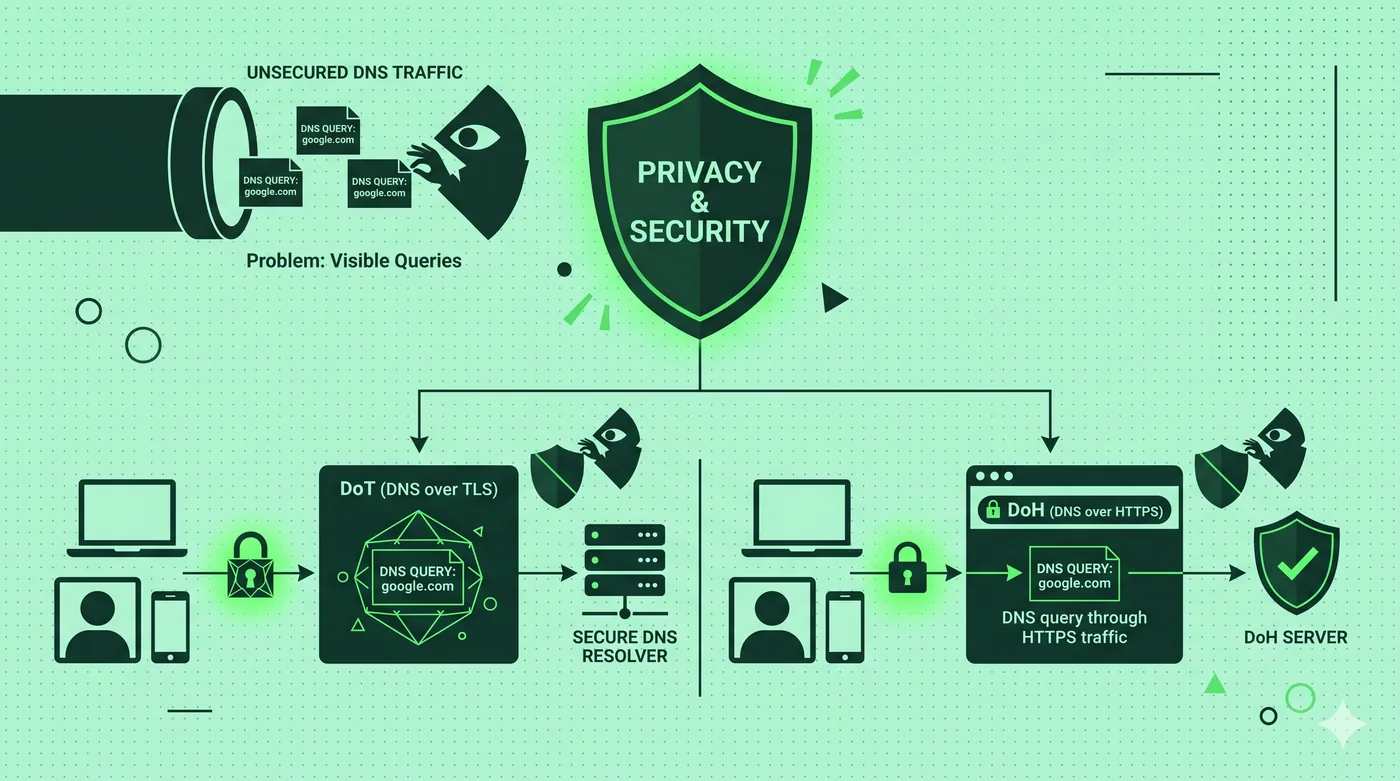
DoH (DNS over HTTPS) and DoT (DNS over TLS) encrypt the requests your device makes to translate website names into IP addresses. Without them, every site you visit is visible to your ISP and anyone on the network. Modern browsers and operating systems support DoH with one toggle.
Key takeaways
- Plain DNS reveals every website you look up to anyone in the network path.
- DoH wraps DNS in HTTPS; DoT uses a dedicated TLS port.
- Both prevent local snooping; both move trust to the chosen DNS provider.
- Pick a reputable resolver (Cloudflare, Quad9, NextDNS) and turn it on.
Why DNS leaks matter
Even with HTTPS, the names of the sites you visit travel through the network as plain DNS lookups. Anyone watching — your ISP, a hotel network, a malicious access point — sees the list. Encrypting DNS closes that hole.
DoH vs DoT
DoH (DNS over HTTPS) sends DNS lookups inside ordinary HTTPS traffic on port 443. It blends in with normal browsing — hard to block selectively. DoT (DNS over TLS) uses a dedicated port (853), which is cleaner from a network-management perspective but easier to block.
Choosing a resolver
Reputable public resolvers include Cloudflare (1.1.1.1), Quad9 (9.9.9.9), and NextDNS. Each publishes a privacy policy describing logging. Whichever you pick, you’re trusting them with the list of sites you visit.
Turning it on
Modern browsers (Firefox, Chrome, Edge, Brave) have a single toggle for DoH. iOS and macOS support encrypted DNS via configuration profiles. Android has Private DNS in settings; type a hostname like ‘1.1.1.1’ or ‘dns.quad9.net’.
Frequently asked questions
Will DoH break my home network filter?
It can — DoH bypasses local DNS-based filters. Some home routers offer their own DoH resolver to keep filtering working.
Is DoH the same as a VPN?
No. A VPN encrypts all traffic; DoH only encrypts DNS lookups. Together they’re stronger.
Does DoH hide which sites I visit from my ISP?
It hides the lookups. The IP address you connect to is still visible, and many sites map to dedicated IPs.
Related guides
Encrypted Messaging Apps Compared (Without the Drama)
Signal, WhatsApp, iMessage, Telegram — what they actually encrypt, and from whom.
Read article →Browser Privacy Settings: A Quick Tune-Up Guide
Ten minutes in your browser settings cuts the majority of casual tracking.
Read article →Cookies, Trackers, and Fingerprinting Explained
Three different ways the web identifies you — and why blocking only one isn’t enough.
Read article →